Drop in the messy.
Add files from Finder, or choose a folder’s top-level files. Your documents, images, and other regular files stay right where they are.
 nameglow
Nameglow turns a client’s spreadsheet into checked filenames.
Or use your own rules. Preview the changes, rename, and keep a receipt.
Free: 10 files per batch · Pro: $19 once
macOS 13+ · Apple Silicon & Intel
One small change. A lot less chaos.
Try a recipe or type your project name. This demo only changes sample names.
THE CLIENT SENT A SPREADSHEET. YOU’RE READY.
Paste two columns, review the matches, and catch mistakes
before anything changes. No scripts or uploads.
Two columns. Full names, including extensions. Try changing a name below.
Checks reserved names, characters and endings. Full paths and cloud-service rules are outside this check.
The files below stay in their original order. The spreadsheet rows can be in any order.
| Original file | New name | Check |
|---|---|---|
| Brand deck v7.pdf | north-deck.pdf | Matched |
| IMG_8492.jpg | north-photo.jpg | Matched |
| Logo Final FINAL.png | north-logo.png | Matched |
3 of 3 filenames matched. Spreadsheet row order does not matter.
The Mac app can export a preview or a completed rename receipt. This demo changes no files and cannot check your disk.
LESS FIDDLING. MORE FINISHED.
From camera rolls to client handoffs, get your filenames
in order before they head out into the world.
Add files from Finder, or choose a folder’s top-level files. Your documents, images, and other regular files stay right where they are.
Paste the client’s old and new names, or combine your own naming rules. Review the matches and resolve conflicts before you continue.
Confirm the rename and export a receipt for your handoff. Contents and extensions stay intact. Undo the last batch, even after reopening the app.
Make a naming style you like, then use it again. Client work, photo collections, web assets: a few good rules go a long way.
Duplicate names get flagged before you rename. Your last batch has an undo, even after you close the app. More confidence. Less second-guessing.
AT HOME ON YOUR MAC
Fast previews. Familiar controls. A little glow.
Everything you need in one calm workspace.
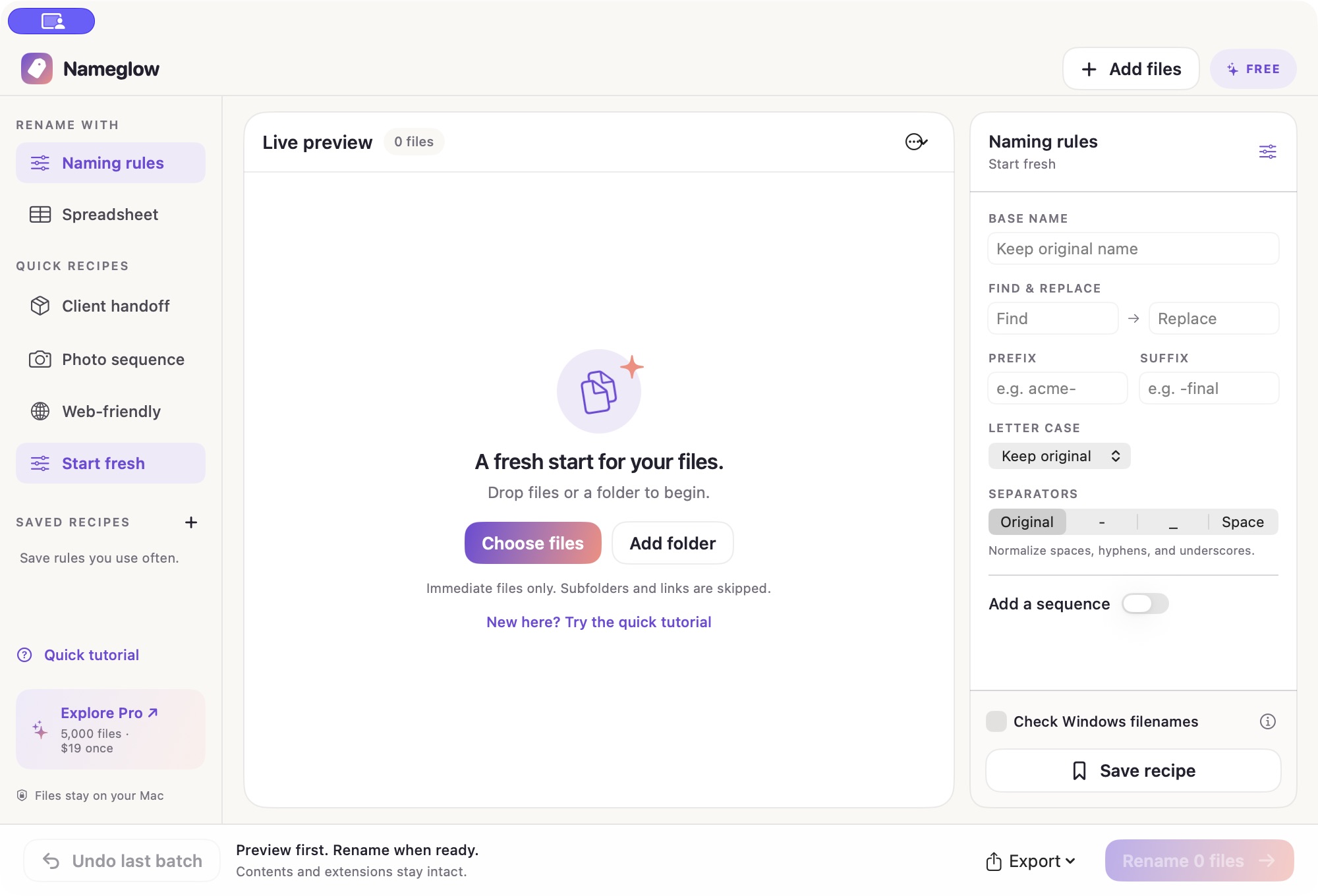
Runs locally. No account needed to try it. Signed and notarized for macOS.
New here? Try the built-in sample tutorial. See how it works ↗
A SMALL PRICE FOR A LITTLE ORDER
Try Nameglow on your own files first.
When your batches get bigger, Pro is a one-time purchase.
Rename up to 10 files per batch.
Rules, spreadsheet matching, reports, and undo included. No time limit.
Nameglow PROLess busywork, for the long run.
One-time payment · Tax may apply
Secure checkout and license delivery by Polar
Nameglow is a native Mac app for batch renaming files. It renames files from a spreadsheet of old and new names, or from reusable rules such as a project name and numbered sequence. You preview every change, fix conflicts, export a receipt and undo the last batch. It is free for 10 files per batch; Pro is $19 once.
Yes, and Finder is great for a simple rename. Nameglow adds old-to-new spreadsheet matching, combined rules, saved recipes, checked previews and shareable rename reports. Our Mac batch-renaming guide shows both workflows so you can choose.
It changes filenames in their existing folders. File contents and extensions are preserved. Renames in a synced or shared folder may sync to other devices. The app asks you to confirm before a batch runs. When you add individual files, macOS may ask you to choose their containing folder so Nameglow can check for conflicts.
Nameglow saves the last batch locally so you can restore those original names, including after reopening the app. Undo checks for conflicts first. If a file was moved, replaced, or is on a disconnected drive, restore access before undoing. Renaming another batch replaces the previous undo.
All naming rules, saved recipes, spreadsheet matching, Windows filename checks, HTML reports, previews, and undo, with up to 10 files per batch. There’s no trial countdown. Pro increases the batch limit to 5,000 files.
macOS 13 Ventura or later, on Apple Silicon or Intel. Nameglow renames regular files regardless of format. It skips hidden files, symbolic links, hard links, folders, and app bundles. Folder import adds only the visible files directly inside that folder.
No. Renaming and previews happen locally. The app contacts Polar to validate a Pro license; filenames and file contents aren’t sent. You can use the free version offline. See our privacy details.
Yes. Copy two columns of original and new filenames into Spreadsheet mode, or import a UTF-8 CSV or TSV. Include each file’s extension. Nameglow matches original names, not row positions, and blocks missing or ambiguous matches. See the format and examples.
Nameglow focuses on common naming rules and checked spreadsheet handoffs. Other apps offer deeper metadata, regex and automation features, and some are free. Our dated comparison explains the differences and links to their official documentation.
Copy the Nameglow Pro license key from your Polar order confirmation or customer portal. In the app, click the Free badge or Explore Pro, then paste your key. An internet connection is needed for validation. Your license is for one person on their own Macs.
FROM DOWNLOAD TO DONE
Make your next handoff a little more polished.